
Snag lists, punch lists & site audit reports — finished before you leave site
Site Report Expert turns your phone into a complete site inspection tool for site audits, snagging, punch lists, construction surveys and home inspections. Capture issues with photos, mark them up with your finger, pin them on floor plans, and export branded PDF & Excel reports in minutes.
- ✓ No cloud account — your projects and photos stay on your device
- ✓ Professional PDF & Excel reports with your company branding
- ✓ Works fully offline, in 71 languages, on Android & iOS


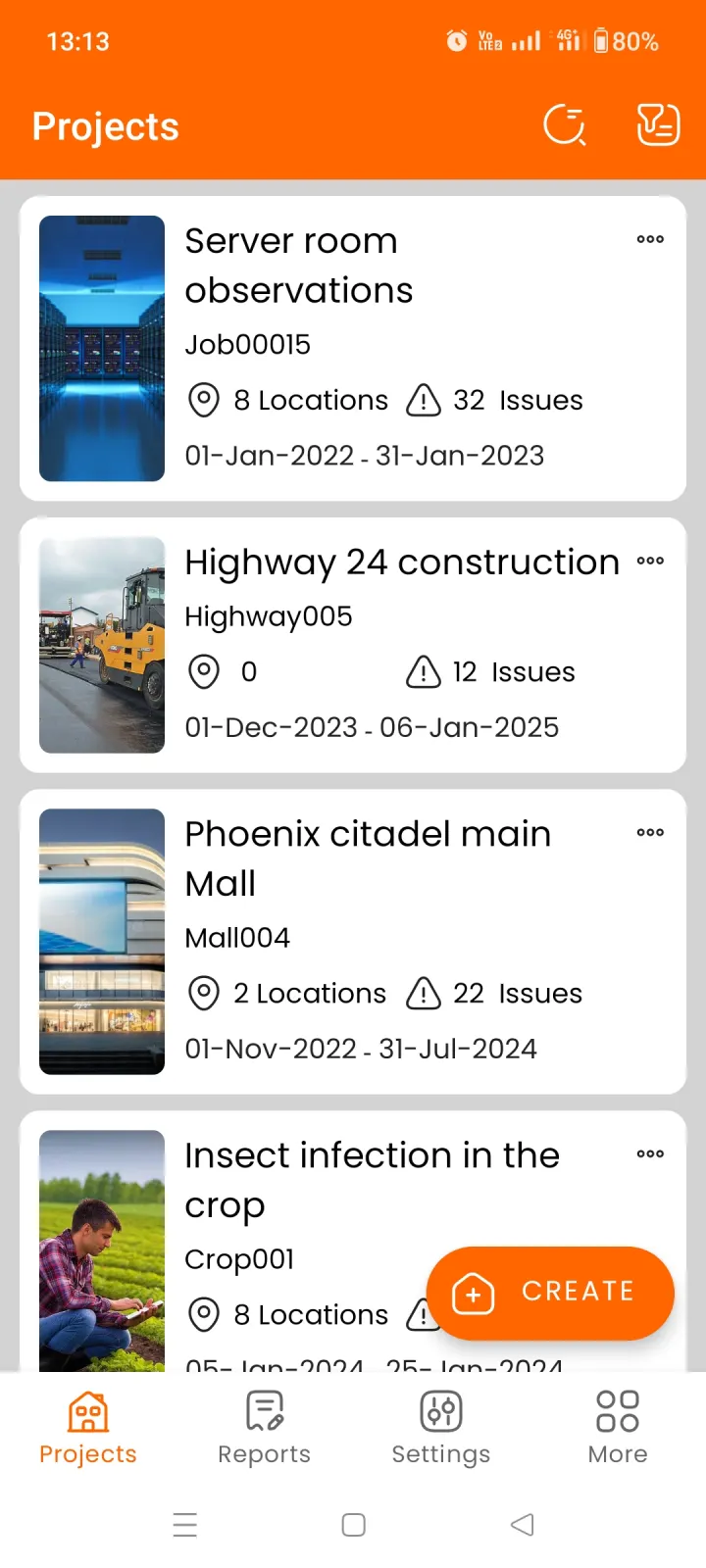
Everything you need for site reporting, in one app
From the first walk-through to the final handover report — capture, organize, assign and export without ever touching a laptop. Site auditing, snagging, punch lists, construction surveys and home inspections all follow the same fast workflow.
Projects & multi-level locations
Organize any job as a project — a building, a highway, a server room — and break it into nested locations like blocks, floors and rooms.
Issues with multiple photos
Log snags, defects and observations with several photos per issue, plus title, description, status, priority, tags, assignee and fix-by date.
Photo markup & annotation
Draw, highlight and add arrows or text right on the photo with your finger, so nobody has to guess what the problem is or where it is.
Branded PDF & Excel reports
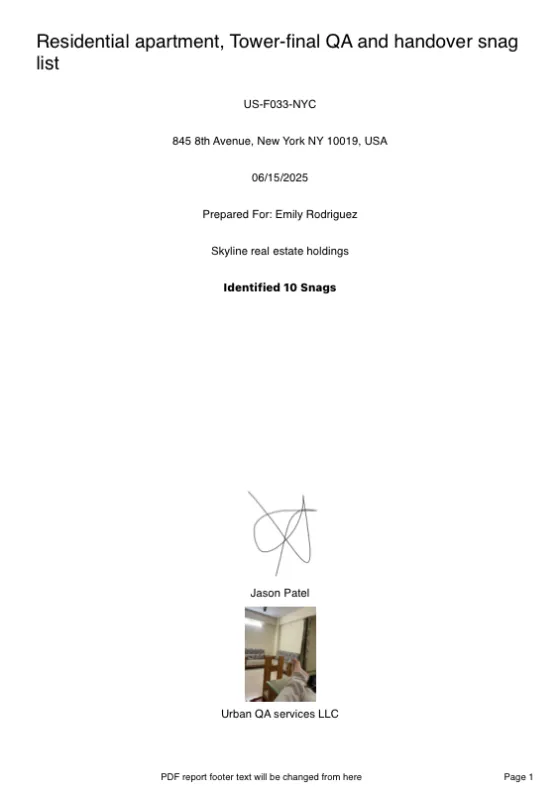
Generate client-ready reports with your logo, cover page, signature and choice of professional themes — as PDF or Excel (XLSX).
Floor plans with pins
Drop issue pins directly onto floor plans and site drawings, so every snag is located precisely on the plan in your report.
Team sharing — no cloud needed
Share projects, locations and issues with teammates as a compact file via WhatsApp or email. The app imports everything automatically.
Your wording, your workflow
Rename statuses, tags, priorities and report fields to match your industry — snags, defects, observations or anything else.
71 languages, fully offline
Work in your language, anywhere — basements, remote sites, planes. Everything is stored on your device; no signal required.
Sort, filter & track progress
Slice issues by status, assignee, tag, priority or date to see exactly what's outstanding — and prove what's been fixed.
Move issues & locations freely
Filed something in the wrong place? Move an issue to another location or project — or move a whole location, photos and all, into a different project.
Multiple PDF & Excel themes
Pick from professional report themes for PDF output — and matching themes for Excel — so every report fits your brand and audience.
Notes & comments on issues
Keep a running record on every issue — add comments as work progresses so agreements and follow-ups never get lost between site visits.
From site walk to signed-off report in three steps
Create a project and add locations
Set up the job with client details and reference, then add locations — floors, units, rooms — or import a floor plan.
Capture issues as you walk the site
Snap photos, mark them up, set status and priority, assign to a contractor and tag the exact spot on the plan.
Export a branded PDF or Excel report
Pick a theme, choose which fields to show, and share the finished report by email or WhatsApp — straight from your phone.
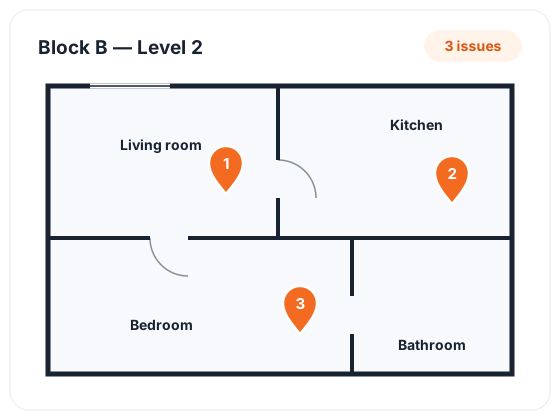
Pin every issue to the exact spot on the plan
Attach floor plans and site drawings to the locations in your project. While adding an issue, draw a pin straight onto the plan — so whoever reads the report knows precisely which wall, window or fitting you mean, without a single phone call.
- ✓Add floor plans to any location — buildings, units, floors or whole sites
- ✓Draw a pin on the plan as you record each snag, defect or observation
- ✓See where every open issue sits on the plan at a glance
- ✓Perfect for construction surveys, handovers and large multi-unit projects
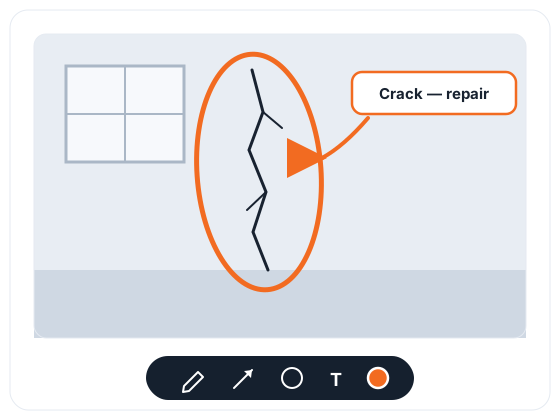
Mark up photos so nobody has to guess
A photo says a lot — an annotated photo says exactly what is wrong and where. Draw on any issue photo with your finger to highlight the precise area that needs attention before it goes into the report.
- ✓Freehand drawing, arrows, circles, highlights and text labels
- ✓Multiple photos per issue — and every one of them can be annotated
- ✓Annotated photos appear in your PDF and Excel reports automatically
- ✓Contractors see the defect instantly — fewer queries, faster fixes
Reports that look like they took hours — not minutes
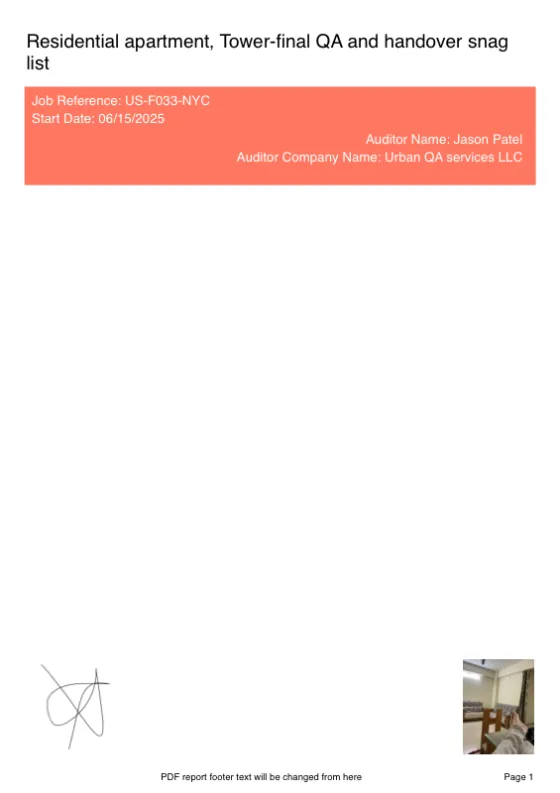
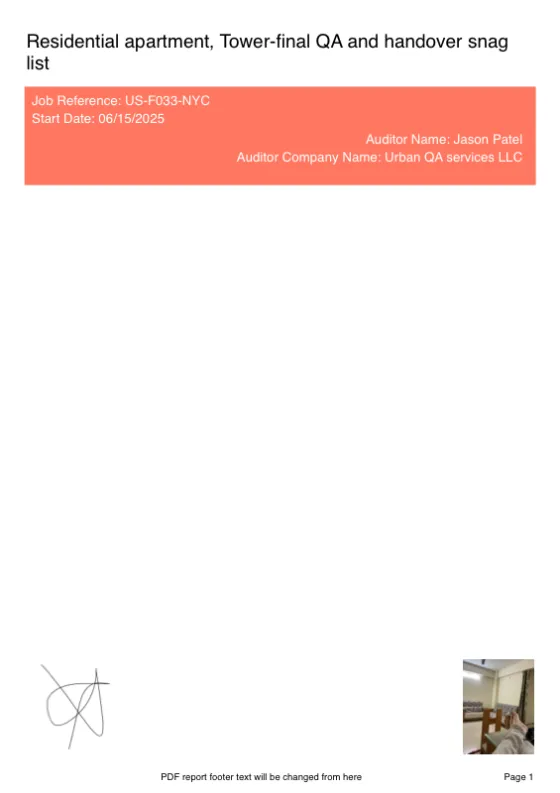
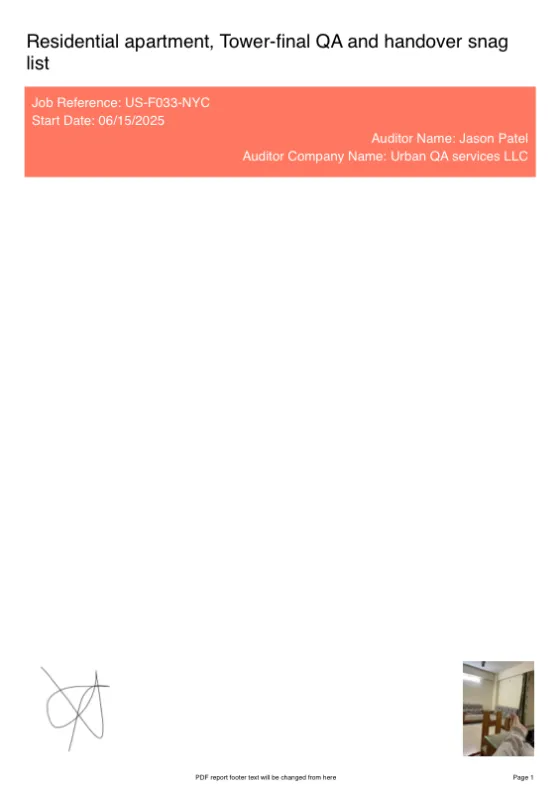
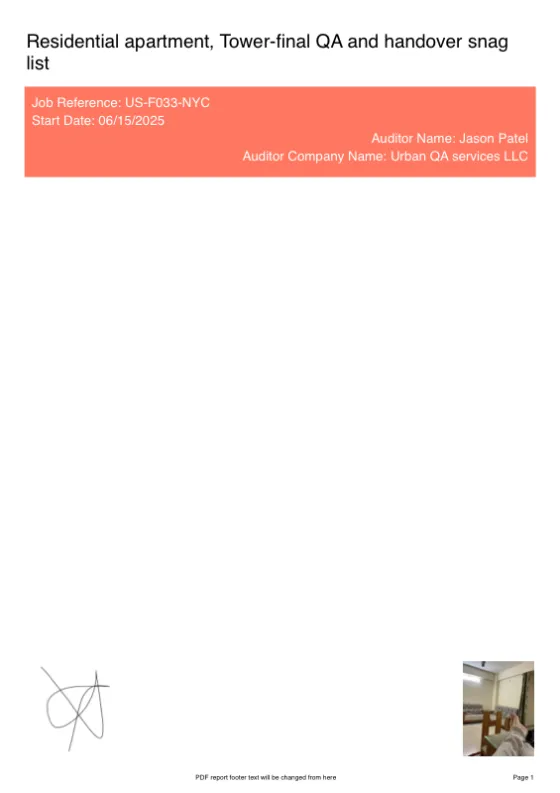
Choose from five professional PDF themes and matching Excel themes, add your company logo, cover page, auditor name and signature, and control exactly which fields appear.
- ✓PDF reports with cover page, page numbers and photo timestamps
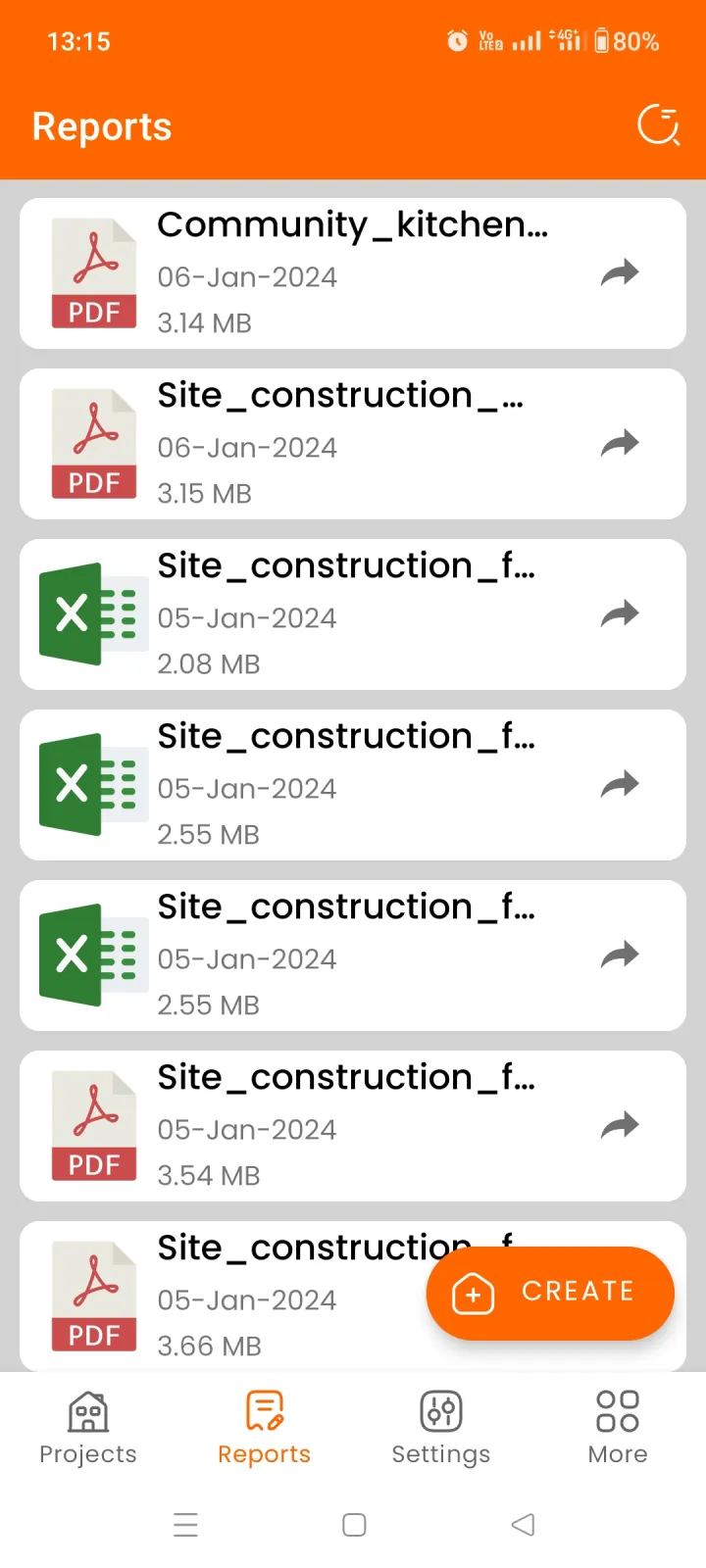
- ✓Excel (XLSX) reports with their own selection of themes, for analysis and tracking
- ✓Sort and filter what goes in the report — by status, tag, assignee or date
- ✓Condensed or enlarged layouts to match the level of detail you need
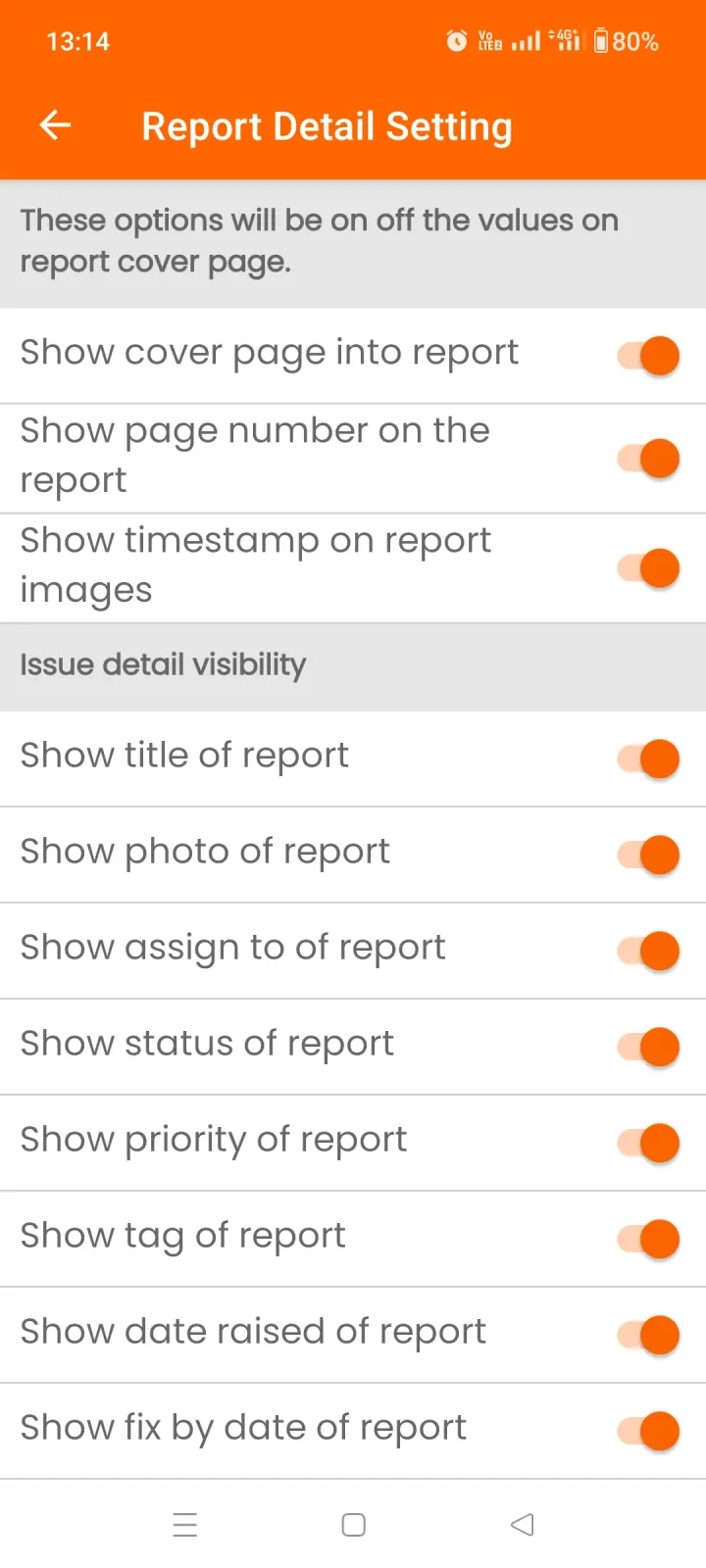
Your industry, your wording — everywhere
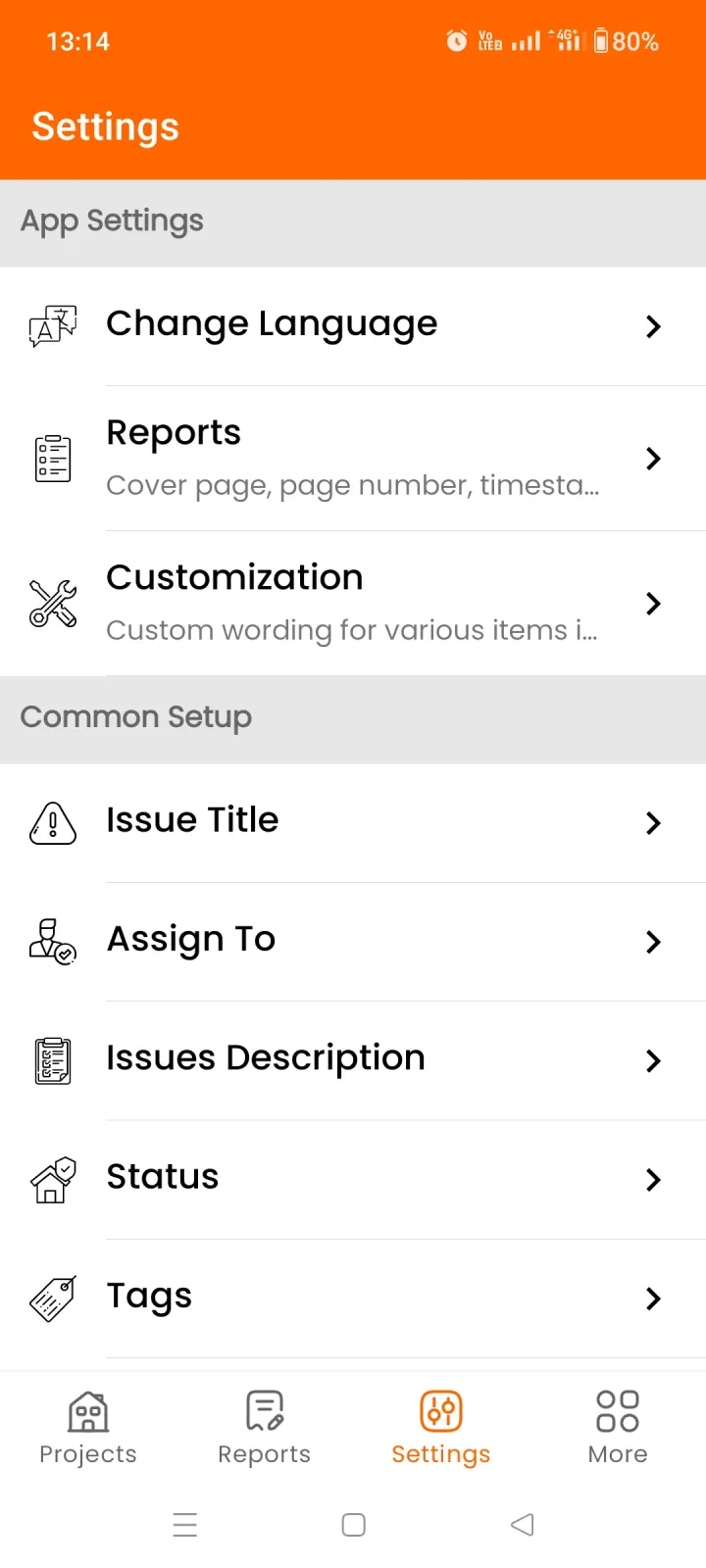
No two trades talk about site work the same way. Site Report Expert lets you customize the complete application with your own wording, so the app — and every report it produces — speaks your language.
- ✓Rename statuses, tags, priorities and issue fields to match your workflow
- ✓Call them snags, defects, punch items, findings or observations — your choice
- ✓Your custom labels carry through to PDF and Excel reports
- ✓Available in 71 languages, fully offline
Restructure projects without re-typing a thing
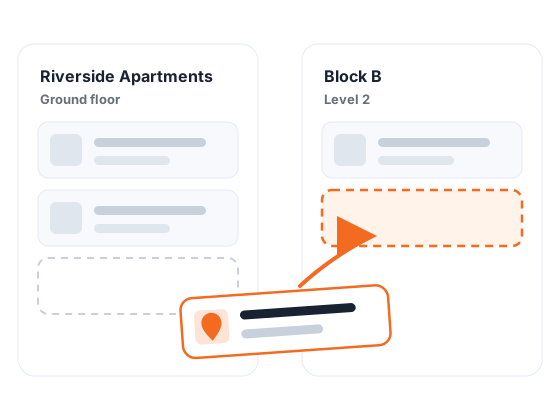
Real sites change — units get renumbered, scopes get split, and sometimes an issue simply lands in the wrong room. Everything in Site Report Expert can be moved after the fact, with photos, comments and details intact.
- ✓Move an issue to a different location — or to a different project entirely
- ✓Move a whole location, with all its issues and photos, into another project
- ✓Nested locations mirror how the site is actually laid out — blocks, floors, rooms
- ✓Sort and filter by status, priority, assignee, tag or date at any level
Split the site, merge the report
Divide a large project between team members — one takes the ground floor, another takes the roof. Everyone audits independently, then findings merge into a single consolidated report.
- ✓Share projects, locations and issues as a compact zip file — via WhatsApp, email or any messaging app
- ✓Recipients tap the file and Site Report Expert imports projects, locations, photos and issues automatically
- ✓Assign issues to teammates and track who is working on what
- ✓No accounts, no server, no data leaving your control
Take a look inside the app
Tap any screenshot to enlarge it.
Trusted by site teams worldwide
Don't take our word for it — read what inspectors, builders and project managers say on the app stores.
One app for every kind of site report
Whatever your trade calls it — snag, punch item, defect or observation — the workflow is the same: find it, photograph it, report it.
Snag Lists
Snag new builds and refurbishments, assign snags to contractors and track them to closure.
Punch Lists
Document outstanding work that doesn't meet spec and speed up project sign-off.
Site Audits
Run compliance and quality audits across any site, with evidence attached to every finding.
Defect Lists
Record defects with photos and locations, prioritize fixes and keep a quality history.
Site Inspections
Daily walk-throughs, progress checks and health & safety inspections — documented in minutes.
Home Inspections
Housing inspections, handover checks and property surveys with room-by-room photo evidence.
Building Surveys
Pre-purchase and condition surveys of any building, documented with annotated photos.
Health & Safety Checks
H&S observations on construction projects with priorities, corrective actions and a dated audit trail.
House Inventories
Rental inventories and check-out comparisons, exported as PDF or Excel reports.
Site Report Expert is built for anyone who documents the condition of a building or site: home inspectors, snagging professionals, general contractors, site managers, architects, quantity surveyors, project managers, facility managers and property developers. Use it as a snag list app on a new-build handover, a punch list app for construction close-out, a site audit tool for quality and safety checks, or a home inspection app for room-by-room property reports — the same fast capture-and-report workflow fits them all.
Every report is generated on your phone in seconds: a branded PDF document or Excel spreadsheet with your logo, your fields and your wording, with annotated photos and floor plan pins showing exactly where each issue sits — ready to send to clients and contractors before you have left the site.
Frequently asked questions
Is Site Report Expert free? Are there monthly fees?
The app is free to download and includes one full project, so you can try the complete workflow — photos, markup and PDF/Excel reports. Upgrading inside the app unlocks additional projects. There's no cloud service: your data stays on your own device.
Does it work offline?
Yes, completely. All projects, photos and reports live on your device, so you can work in basements, remote sites or on a plane. You only need a connection when you want to share a report or project file.
What report formats can I export?
You can export professional PDF reports (with cover page, your logo, signature, page numbers and photo timestamps) and Excel (XLSX) spreadsheets. Multiple report themes are included for both PDF and Excel output — browse the sample reports.
Can I put issues on a floor plan?
Yes. Attach floor plans or site drawings to any location, then draw a pin on the plan while adding an issue — every snag, defect or observation is marked at its exact position, so contractors know exactly where to look.
Can I move issues or locations after creating them?
Yes. An issue can be moved to a different location or a different project, and a whole location — with all its issues and photos — can be moved into another project. Nothing needs re-typing, so restructuring a job takes seconds.
How does team sharing work without a cloud service?
The app packages a project — locations, issues and photos — into a compact zip file that you can send by WhatsApp, email or any messaging app. When a teammate opens the file, Site Report Expert imports everything automatically and merges it into their copy of the project.
Is it available on both Android and iOS?
Yes. Get it on Google Play or the App Store.
Can I customize the wording for my industry?
Yes. Statuses, tags, priorities, issue fields and report labels can all be renamed — call them snags, defects, punch items, observations or anything that fits your workflow, in any of 71 supported languages.
Start your first report today
Free to download on Android and iOS. Your first snag list could be done in the next ten minutes.


Questions? We're happy to help
Feature requests, support questions or feedback — send us a message and we'll get back to you.